
A dead or weak key fob battery can quickly become frustrating, especially when your Chevy vehicle no longer unlocks properly or starts with remote access. Fortunately, replacing the battery in a Chevy key fob is a simple task that most drivers can complete at home in just a few minutes. Whether you drive a Chevy Silverado, Malibu, Equinox, Traverse, Tahoe, or another model, the process is usually very similar.
In this guide, you’ll learn how to change a battery in a Chevy key fob step by step, which battery types are commonly used, and a few tips to keep your key fob working properly.
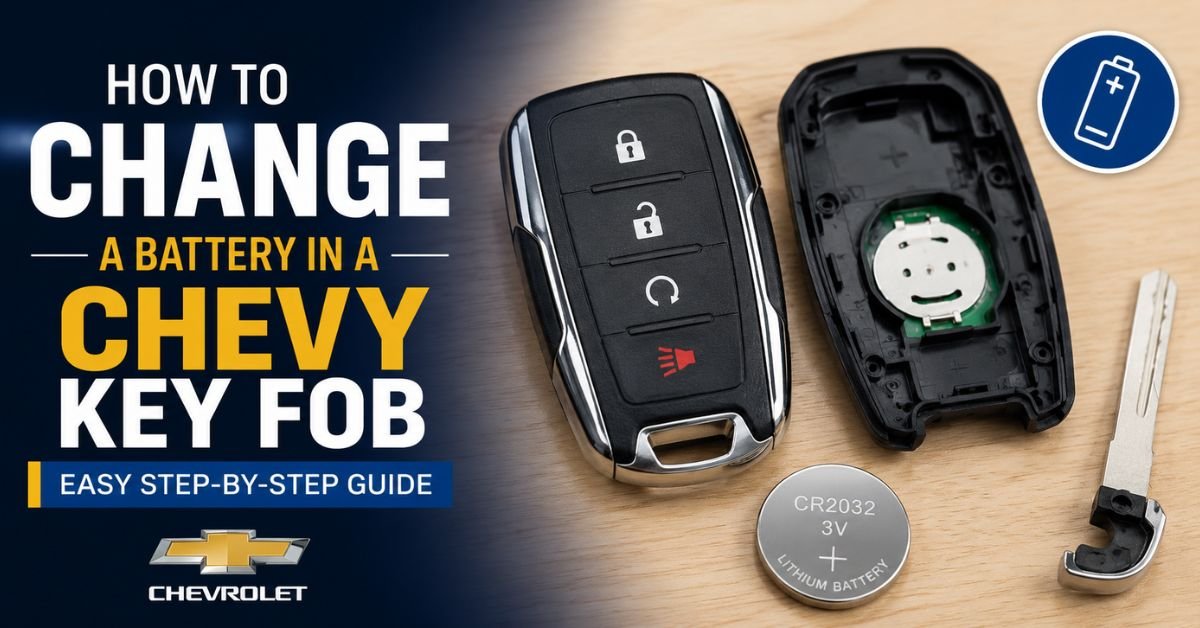
How to Change a Battery in a Chevy Key Fob?
Signs Your Chevy Key Fob Battery Is Dying
Before the battery completely fails, your Chevy key fob usually gives a few warning signs. Common symptoms include:
- Reduced remote range
- Buttons working intermittently
- Slow response when locking or unlocking doors
- “Replace Key Fob Battery” warning on the dashboard
- Push-button start failing to detect the key
If you notice any of these problems, it’s probably time to replace the battery.
What Kind of Battery Is Used in a Chevy Key Fob?
Most Chevy key fobs use a small coin-style lithium battery. The most common battery types are:
- CR2032
- CR2025
The correct battery depends on your Chevy model and the style of key fob you have. You can usually find the battery number printed on the old battery once you open the fob.
Tools You May Need
Replacing the battery requires very few tools. In most cases, you only need:
- A new CR2032 or CR2025 battery
- A small flathead screwdriver or plastic pry tool
- A clean cloth or gloves (optional)
Using a plastic pry tool can help avoid scratching the key fob casing.
Step-by-Step Guide to Changing a Chevy Key Fob Battery
1. Remove the Emergency Key
Most modern Chevy key fobs include a hidden physical key inside.
To remove it:
- Locate the small button on the side or back of the key fob
- Press the release button
- Pull out the emergency metal key
Set the key aside safely.
2. Open the Key Fob
After removing the emergency key, you’ll notice a small slot along the seam of the fob.
- Insert a flathead screwdriver or pry tool into the slot
- Gently twist the tool until the fob separates into two halves
- Carefully pull the casing apart
Be gentle during this step to avoid damaging the clips inside the fob.
3. Remove the Old Battery
Once the key fob is open, you’ll see the round battery inside.
- Carefully lift the battery out using your fingernail or screwdriver
- Avoid touching internal electronic components unnecessarily
Before removing the battery, make a note of its orientation. The positive (+) side is often oriented upward.
4. Install the New Battery
The new battery should be inserted in the same direction as the old one.
- Make sure the battery sits securely in place
- Confirm the positive and negative sides match the original orientation
Using the wrong battery position may prevent the key fob from working.
5. Reassemble the Key Fob
Once the new battery is installed:
- Align both halves of the key fob
- Press them firmly together until they snap closed
- Reinsert the emergency key
Your Chevy key fob should now be ready to use.
6. Test the Key Fob
Stand near your vehicle and test all functions, including:
- Lock button
- Unlock button
- Remote start (if equipped)
- Panic alarm
- Trunk release
If the buttons respond normally, the battery replacement was successful.
Must Read: How Long Can a Car Sit Before the Battery Dies?
What If the Key Fob Still Doesn’t Work?
If replacing the battery does not solve the problem, try the following:
Check Battery Orientation
The battery may be installed upside down. Open the fob and verify the positive side placement.
Verify Battery Type
Using the wrong battery model can prevent proper operation.
Clean the Contacts
Dust or corrosion on the battery contacts may interrupt power flow. Gently clean the contacts with a dry cloth.
Reprogram the Key Fob
In rare cases, the key fob may need to be reprogrammed to the vehicle. Consult your owner’s manual or visit a Chevy dealership.
Replace a Damaged Key Fob
If the fob has water damage or broken internal components, replacing the battery alone may not fix it.
How Long Does a Chevy Key Fob Battery Last?
Most Chevy key fob batteries last between 2 and 4 years, depending on usage habits. Frequent use of remote start and lock functions can shorten battery life.
To extend battery life:
- Avoid storing the key fob in extremely hot environments
- Keep it dry and clean
- Replace weak batteries promptly
- Avoid dropping the key fob
Can You Start a Chevy with a Dead Key Fob Battery?
Yes, many modern Chevy vehicles have a backup method for starting the car even if the key fob battery dies.
Typically:
- Keep the key fob near the start push button.
- Press the brake pedal
- Push the ignition button
Some models include a dedicated backup sensor location inside the center console or steering column area. Check your owner’s manual for exact instructions.
Final Thoughts
Learning how to change a battery in a Chevy key fob can save you time and money. The process only takes a few minutes and requires minimal tools. By replacing the battery early, you can avoid lockout situations and ensure your remote features continue working reliably.
Most Chevy key fobs use affordable coin-cell batteries that are widely available online or in local stores. With proper care and timely battery replacement, your key fob should continue functioning smoothly for years.